Vehicles·6 min read
How to install FiveM cars: add-on vehicles on your server, step by step
From the downloaded folder to a car on the street: folder layout, fxmanifest, server.cfg, in-game test and the five mistakes almost everyone makes the first time.
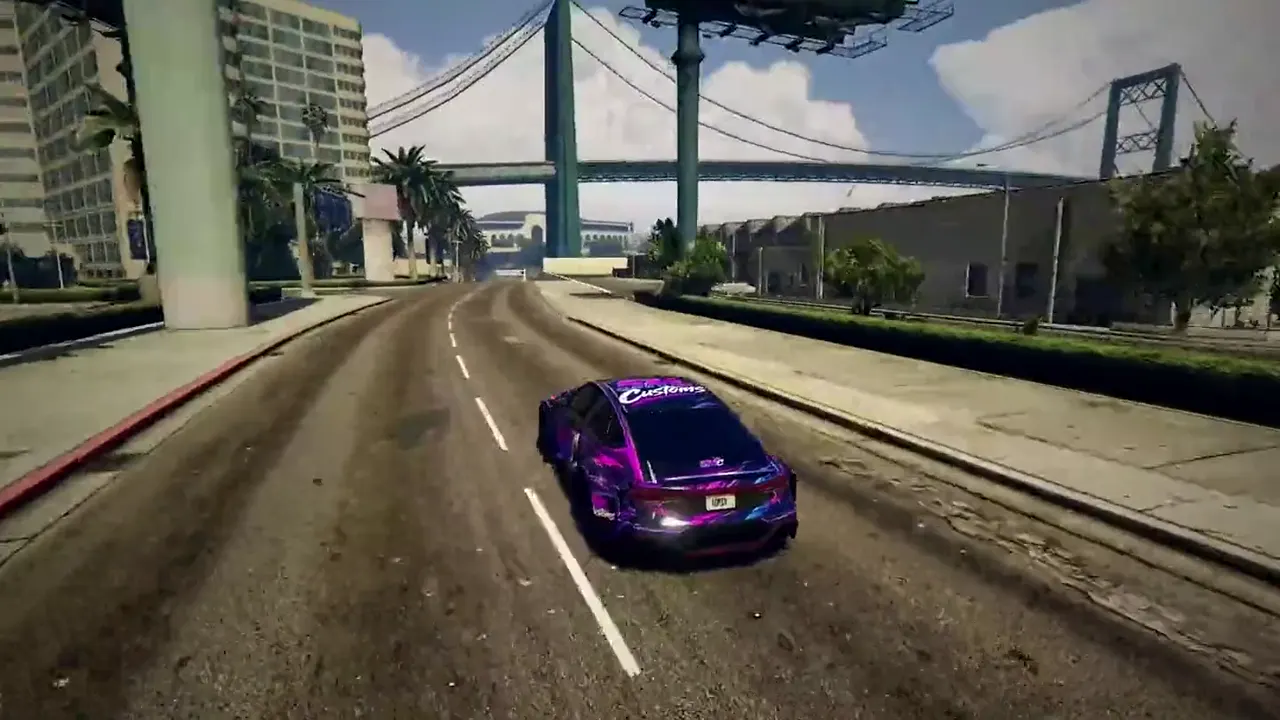
Installing a FiveM car takes two minutes when you know what matters and two hours when you do not. This guide is written for the second case. If you do not have a server yet, start with how to make a GTA RP server. It walks the whole path once, with the files that are actually needed and the places where things usually go wrong.
Add-on or replace: the difference that decides everything
A replace vehicle overwrites a GTA car. The Adder then looks like your new model but is still called adder, and every player with an Adder in their garage suddenly drives something else. An add-on vehicle comes with its own spawn name and leaves everything else alone. On a roleplay server there is no reason to use replace. Everything below is about add-ons.
What is inside a vehicle resource
A finished FiveM car consists of two groups of files. The first group is the model: a .yft with the body, usually a second _hi.yft with the high detail level, and a .ytd with the textures. The second group is the meta files that tell GTA what kind of car this is.
- vehicles.meta: name, class, type, seats, which handling line applies and which textures.
- handling.meta: mass, acceleration, brakes, traction. This is where the driving feel comes from.
- carvariations.meta: colours, kits, liveries and whether sirens exist.
- carcols.meta: tuning parts, light patterns, siren lights.
- vehiclelayouts.meta: only for vehicles with unusual seat layouts such as motorcycles or trucks.
Step 1: Create the resource
Inside your server's resources folder, create a folder named after the car's spawn name, no spaces, lower case. The model files go into a subfolder called stream, the meta files into a subfolder called data. This layout is a convention, not a requirement, but it makes every later look into the folder easier.
5mc_rs7/
├── fxmanifest.lua
├── data/
│   ├── vehicles.meta
│   ├── handling.meta
│   ├── carvariations.meta
│   └── carcols.meta
└── stream/
    ├── 5mc_rs7.yft
    ├── 5mc_rs7_hi.yft
    └── 5mc_rs7.ytd
Step 2: Write the fxmanifest
The fxmanifest.lua is the resource's business card. For a car it needs three things: a note that everything in data ships as a file, and for each meta file a data_file line that tells GTA what kind of file it is. The stream folder is found automatically.
fx_version 'cerulean'
game 'gta5'

files {
  'data/*.meta',
}

data_file 'HANDLING_FILE'          'data/handling.meta'
data_file 'VEHICLE_METADATA_FILE'  'data/vehicles.meta'
data_file 'CARCOLS_FILE'           'data/carcols.meta'
data_file 'VEHICLE_VARIATION_FILE' 'data/carvariations.meta'Step 3: Start it from server.cfg
Every resource has to be started. Add it to server.cfg with ensure, ideally grouped with the other vehicles. If the folder sits in a category like [cars], the resource name is enough; the bracketed folder does not matter for starting.
# Fahrzeuge
ensure 5mc_rs7
ensure 5mc_g65
Step 4: Test it in game
Restart the server or type refresh followed by ensure 5mc_rs7 in the console. In game, spawn the car with the spawn name from vehicles.meta, for example via your framework's admin command or the /car command of an admin script. The spawn name is the value of modelName in vehicles.meta, not the file name. Both should match but do not have to, and that is exactly where the most common mistake lives.
The five most common mistakes
- The car does not appear. In 9 out of 10 cases modelName in vehicles.meta does not match the .yft file name, or the data_file line for vehicles.meta is missing in the fxmanifest. The server console usually says nothing, the game just stays silent.
- The car is invisible or glows pink. The .ytd is named differently from the .yft, or txdName in vehicles.meta points to a different name. Pink is the colour of missing textures.
- The car drives like a shopping cart. The handlingId in vehicles.meta finds no matching line in handling.meta and GTA falls back to a default. Both names must match character for character.
- The server reports the resource could not be started. Almost always a typo in the fxmanifest, for example a missing comma in the files list or a wrong path.
- After the fiftieth car, players crash or vehicles vanish. GTA has hard limits for vehicle data, and badly built models with huge textures fill the memory faster than good ones. The only cure is quality: all LOD levels, textures at 2K instead of 4K, no interior with 800,000 polygons.
Performance: why LODs matter more than polygons
A FiveM car does not need few polygons, it needs the right detail levels. Up close GTA draws the full model and swaps it with distance for L1, L2, L3 and finally the VLOD model, which has a few hundred polygons. If those levels are missing, the client renders the full body even 300 metres away. Ten such cars in a car park and the FPS drop for everyone driving past. That is why free conversions from racing games cause so much trouble on busy servers.
Debadged: the part many people overlook
Real brand logos on a public server are a risk. Car manufacturers protect their marks, and Tebex and cfx.re respond to complaints. A debadged model has the logos removed or replaced with custom ones. The car stays recognisable, the server stays clean. If you buy cars, make sure that is included; if you convert yourself, do it before the model goes on the server.
What a vehicle from the 5MCustoms shop looks like on arrival
Every car from our shop ships as a finished resource in exactly the layout above: fxmanifest, data, stream, all LOD levels, debadged, with its own handling. You unzip the folder, write one ensure line and you are done. Liveries for factions are built in 5MC Forge, the tool our MLOs and clothing come from as well.
Frequently asked questions
How many add-on cars can a FiveM server handle?
There is no fixed number. Well built vehicles with all LOD levels and 2K textures run in the hundreds, badly built ones cause trouble at 30. What matters is model quality, not the count.
Do I need a script for add-on cars to work?
No. A vehicle resource consists only of model and meta files, no Lua or JavaScript. You only need a script once the cars should be sold in a dealership or stored in garages, see [FiveM scripts every RP server needs](/en/blog/fivem-scripts-every-rp-server-needs/).
Why is my car pink after installing it?
Pink means GTA cannot find the textures. Check that the .ytd has the same name as the .yft and that txdName in vehicles.meta points to that same name.
Can I use cars from GTA5-Mods.com on my server?
Technically often yes, the files are the same. Many of those models, however, are built for singleplayer: no LOD levels, 4K textures and real logos. On a busy server they cost FPS and carry legal risk. Check the modder's licence and remove the logos.
Related products

Founder of 5MCustoms
Justin has been building FiveM servers, vehicles and scripts for years. 5MCustoms is the framework that grew out of it. What you read here comes from practice, not from a product sheet.
Keep reading
All articles
Server setup·1 October 2026
Detecting cheaters on your FiveM server: how to spot them and what actually works against them
Which mod menus exist, which traces they leave, why client-side checks are useless and how a server-side anti-cheat decides. With a checklist for the first evening after opening.
5 min read
Server setup·1 October 2026
FiveM server optimization: why it stutters and how to find the cause in an hour
Server tick, client FPS and streaming are three different problems with three different tools. How to find the culprit with resmon, the profiler and txAdmin, and the ten causes that are almost always behind it.
5 min read

Server setup·1 October 2026
What a FiveM server really costs: three budgets for three kinds of server
Hosting, framework, scripts, vehicles, Discord, domain and the items nobody thinks of. Three worked examples from a friends-only server to a whitelist project, with what really adds up in the first year.
5 min read